What Wrenwickle Is Built to Handle
A detailed look at the capabilities Wrenwickle offers, from the moment information is received through to the point where organised records are ready for review.
Automated Record Classification
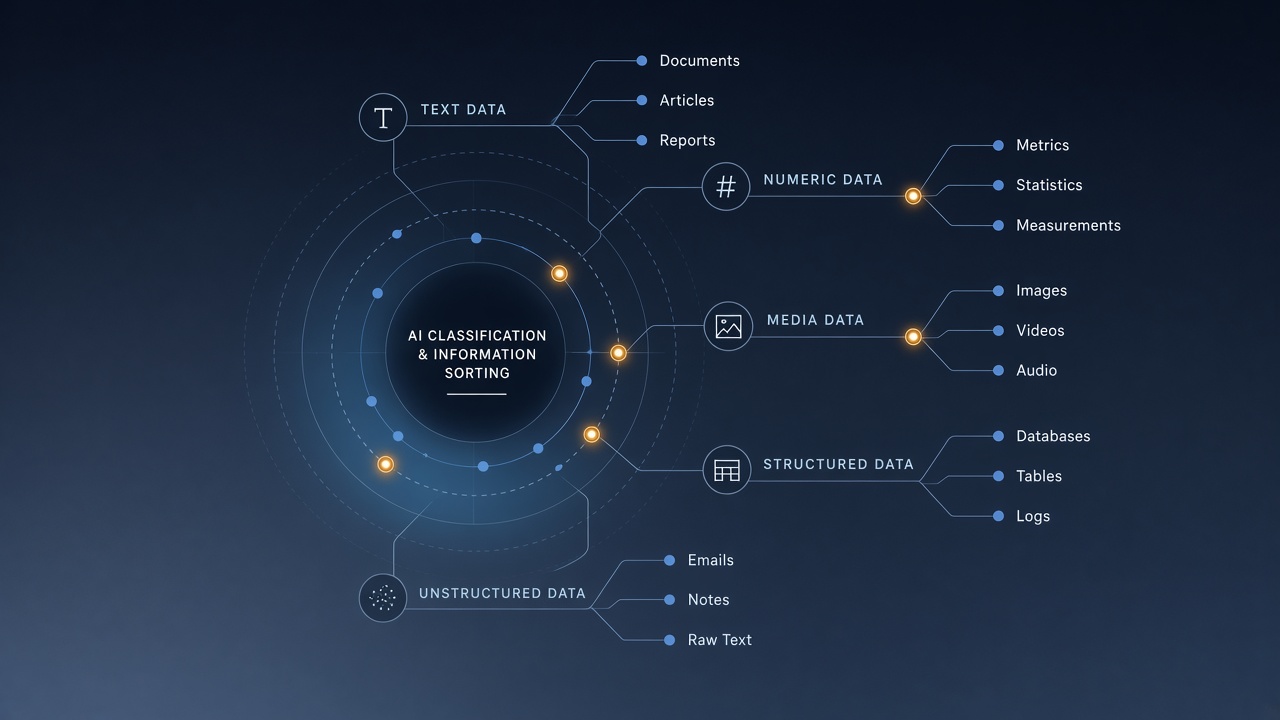
When a record enters the system, it is passed to the classification engine, which reads its content and assigns it to the most appropriate category within the current scheme. The engine considers the record's subject matter, format, and relationship to other records already held in the system.
Classification is performed without manual intervention for most record types. Where the engine is uncertain, the record is flagged for human review before being placed in the final category.
- Category assignment based on content analysis
- Automatic linking of related records
- Flagging of low-confidence classifications for review
- Support for multi-category records where appropriate
Structured Record Grouping
Beyond individual classification, Wrenwickle organises records into coherent groups based on shared attributes. These groups are presented in the interface as collections, which makes it easier to compare related records side by side or to navigate from a broad topic down to a specific item.
Groups are maintained dynamically: as new records are classified, they are added to existing groups or used to form new ones when the volume of related material warrants it.
- Dynamic grouping of related records
- Hierarchical arrangement from broad to specific
- Side-by-side comparison within a group
- Cross-group linking for related but distinct subjects

Guided Review Interface
The review interface is designed to reduce the cognitive effort involved in working through a large set of organised records. It presents records in a logical order, highlights items that may be of particular interest based on the user's navigation history, and offers contextual summaries to orient the user before they open a full record.
The interface does not make decisions on the user's behalf. It surfaces information and provides tools to navigate it. All review actions remain with the user.
- Logical default ordering of records
- Contextual summaries at category and group level
- Highlight suggestions based on navigation patterns
- Keyboard-accessible navigation throughout

Enquiry and Support Handling
Wrenwickle includes a structured channel for submitting enquiries, requesting access, and raising support questions. Enquiries submitted via the contact form are reviewed by the support team and routed to the appropriate area of the organisation.
The system records the enquiry type, the user's details, and the substance of the request. Users can expect an acknowledgement of their enquiry and a follow-up from the support team. Response times vary depending on the volume of enquiries received.
- Structured enquiry form with request-type selection
- Acknowledgement of submitted enquiries
- Routing to the appropriate support contact
- Support for access requests, technical questions, and general feedback
How to Request Access to Wrenwickle
Access is provided through a straightforward enquiry process. The steps below describe the typical path from initial contact to active access.
Complete the Enquiry Form
Submit your name, email address, request type, and a brief description of your intended use via the enquiry form on the contact page.
Acknowledgement
You will receive an acknowledgement by email confirming that your enquiry has been received. Our team reviews each request individually.
Review and Follow-Up
A member of the support team may contact you to clarify the nature of your request or to provide additional information about the appropriate access level.
Access Confirmed
Once your enquiry has been reviewed, you will receive details of how to access the system and any documentation relevant to your access level.
Interested in the Wrenwickle System?
Submit an access enquiry or read the system overview to learn more about what is available to you.